
Getting Started
Getting Started with Packing Pigeon
New to Packing Pigeon? Here's everything you need to know to configure a product, understand your account, and place your first order.
Getting Started
Everything you need to launch
Welcome to Packing Pigeon
Packing Pigeon makes ordering flexible packaging simple. Configure a product, get instant pricing, and order stock or custom printed pouches without the back-and-forth of traditional suppliers.
This guide covers the essentials: what you can order, how your account works, and where to go next.
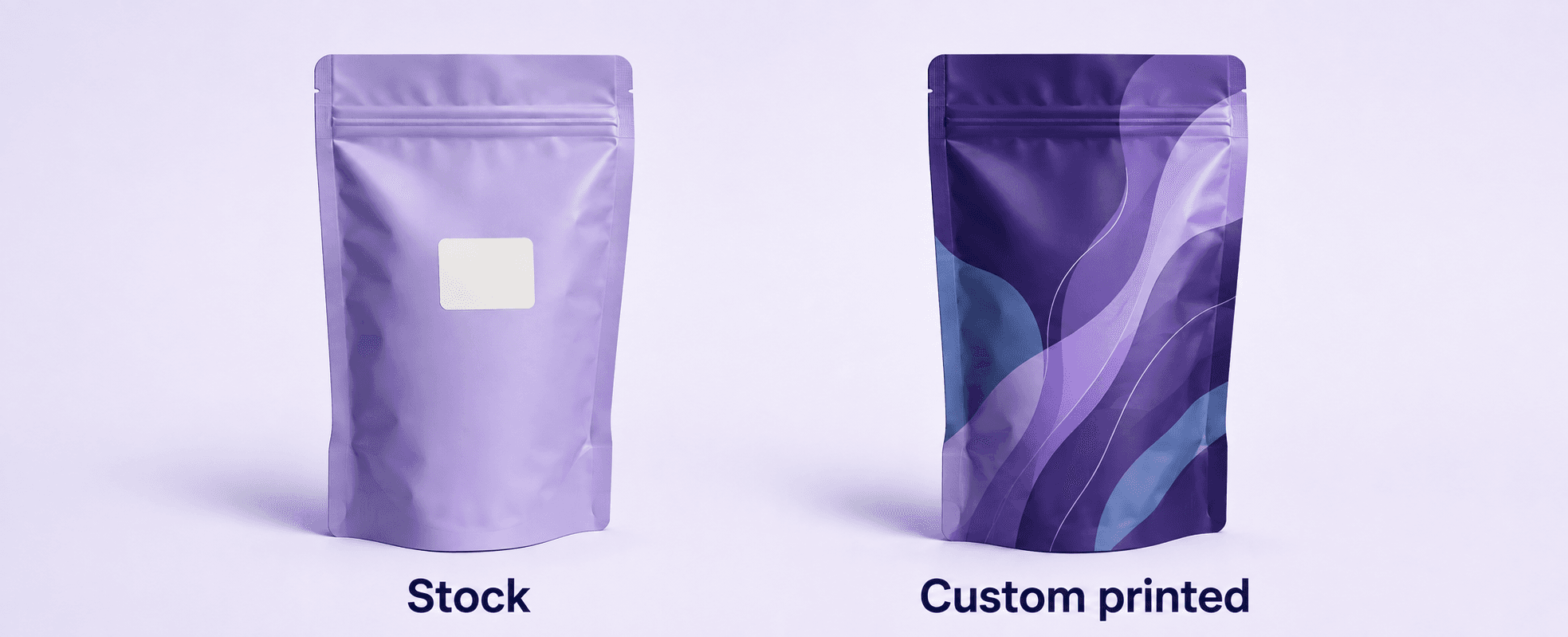
Two ways to make it yours
View full sizeChoose stock packaging for your own labels, or custom printing for artwork made part of the pouch.
What You Can Order
Stock Packaging
Ready-to-ship pouches in popular sizes and materials. Ideal for launching fast or applying your own labels.
Custom Printed
Fully custom pouches printed with your artwork, sized and finished to your exact specifications.
Your Account
Creating a free account lets you:
- Save and revisit quotes
- Upload and manage artwork
- Approve digital proofs
- Track orders and shipping
- View your payment history
- Reorder in a few clicks
Next Steps
Ready to begin? Configure your first product to see live pricing, or reach out if you'd like a hand.
New here?
Frequently Asked Questions
Do I need an account to get a quote?
You can configure a product and see pricing right away. Creating a free account lets you save that quote, upload artwork, and place your order.
What's the difference between stock and custom?
Stock packaging ships fast in standard sizes and materials. Custom printed packaging is produced to your exact artwork and specifications with a longer lead time.
Is there a minimum order?
Minimums depend on the product and whether it's stock or custom. Stock items have low minimums; custom runs have a minimum that's shown while you configure.
Still Have Questions?
Our packaging specialists are happy to help you get your order exactly right.